
Ever found yourself wondering why your Eufy vacuum isn’t picking up dirt like it used to? A dead battery can be the culprit, and knowing how to charge it properly can make all the difference.
Picture this: you’ve just finished cleaning your home, but your vacuum’s battery dies halfway through. Frustrating, right? Charging your Eufy vacuum the right way ensures it’s always ready to tackle those messes.
Key Takeaways
- Proper Charging Steps: Always place your Eufy vacuum on the charging dock correctly by aligning the charging pins to ensure effective charging.
- Monitor Indicator Lights: Check LED lights on your vacuum; a flashing light indicates charging, while a steady light means it’s fully charged.
- Environment Matters: Keep the charging dock in a stable, dry location away from direct sunlight and heat sources to optimize battery performance.
- Regular Maintenance: Clean your vacuum’s dustbin, filters, and brushes regularly, and ensure the charging contacts are free of dust for efficient operation.
- Avoid Battery Drain: Recharge your vacuum when the battery level drops to around 20% to prolong battery life and maintain optimal performance.
- Troubleshoot Issues: If charging problems occur, check for proper outlet functionality, vacuum alignment on the dock, and inspect for any damage to the charging accessories.
How To Charge Eufy Vacuum
Charging your Eufy vacuum properly is essential for maintaining its performance and longevity. Here’s how to ensure your vacuum is charged effectively.
Recommended Products

Solve the charging problem: the charging base fails, such as poor contact, damage to the charging cable, etc., replacement can allow the machine to charge normally and restore its working ability.

Delivers voltage for rapid and safe battery recovery

1.Smart auto recharging design, the robot vacuum automatically returns to charge when low battery, no manual plug and unplug needed.
Step 1: Locate the Charging Dock
Find the charging dock that came with your Eufy vacuum. Make sure it’s in a convenient location near an electrical outlet.
Step 2: Plug in the Dock
Connect the docking station to a power outlet using the provided power adapter. Confirm that the indicator light on the dock turns on, indicating power is flowing.
Step 3: Position Your Vacuum
Place the vacuum on the charging dock. Align it so the charging pins on the vacuum connect with the pins on the dock. You’ll know it’s correctly positioned when you hear a click sound.
Step 4: Monitor Charging Status
Check the LED lights on your vacuum. A flashing light typically means it’s charging, while a steady light indicates a full charge. Charging times vary but generally take about 5 to 6 hours for a complete charge.
- Avoid over-discharging your vacuum. Ideally, recharge when the battery level drops to around 20%.
- Keep the charging dock clean and free from debris to ensure optimal connectivity.
- Don’t place the vacuum in a damp area while charging, as moisture can damage the electronics.
Following these steps ensures that your Eufy vacuum remains fully charged and ready for use.
Understanding The Charging Process
Charging your Eufy vacuum properly is vital for optimal performance. Follow these guidelines to ensure a smooth charging experience.
Charging Dock Setup
- Locate a suitable area for the charging dock. Ensure it’s near a power outlet for easy access.
- Place the dock on a flat, stable surface. Avoid any carpets or uneven surfaces that could obstruct stability.
- Align the dock with a wall to prevent the vacuum from being knocked over easily. The back of the dock should be flush against the wall.
- Avoid placing the dock in direct sunlight or near heat sources, as excessive heat can affect battery performance.
- Use the included power adapter specifically designed for your Eufy vacuum. This ensures proper voltage and prevents damage.
- Confirm the outlet is functioning. Plug in a different device to verify that power is available.
- Avoid using extension cords or power strips. Direct connection to the wall outlet provides optimal charging effectiveness.
- Maintain awareness of your household’s voltage standards. Ensure compatibility if traveling or relocating the dock.
Following these steps makes charging your Eufy vacuum straightforward and effective, keeping your vacuum ready for any cleaning task.
Steps To Charge Your Eufy Vacuum
Charging your Eufy vacuum correctly ensures it’s always ready for use. Follow these steps to charge your vacuum efficiently.
Connecting The Dock
- Locate The Charging Dock
Find a suitable location for your charging dock. A wall outlet should be nearby. - Use The Power Adapter
Take the power adapter that came with your Eufy vacuum. Plug one end into the dock and the other into the wall outlet. - Check The Outlet
Make sure the wall outlet functions properly. If not, try another outlet.
Placing The Vacuum On The Dock
- Position The Dock
Place the charging dock on a flat, stable surface. Ensure it’s not in direct sunlight or near heat sources. - Align The Vacuum
Position your Eufy vacuum so that its charging pins align with the dock pins. This contact ensures efficient charging. - Gently Set It Down
Place the vacuum onto the dock gently. Avoid dropping it to prevent damage.
- Look For Indicator Lights
Check the indicator lights on the vacuum. A solid light typically indicates charging, while a flashing light may indicate an error. - Wait For A Full Charge
Allow the vacuum to charge fully. This may take 4 to 6 hours, depending on the model. - Test The Vacuum
Once fully charged, remove it from the dock and test it to ensure it’s powered and ready for cleaning.
Troubleshooting Common Charging Issues
If your Eufy vacuum isn’t charging correctly, troubleshooting these common issues can help get it back in operation.
Recommended Products

KFD products are CE / FCC / RoHS certified,Warranty: 30 Days Free Exchange /36 Months Warranty

Compatible Models: The UL listed charger for Eufy robot vacuum cleaner is only compatible with Eufy BoostIQ RoboVac 11S,15C,15C Max, 15T,11S Max, 11S Plus, 12, 25C, 30, 30C Max ,30C, 35C, R450, G30, G30 Edge ,G10, fit for Eufy BoostIQ RoboVac 11: T2102 AK-T2102111; 11+ : AK-T21041F2; fits for Eufy RoboVac 11+ 2nd Gen: AK-T21041F1 AK-T2116111 AK-T2117Z11 AK-T2109111 AK-848061058499 AK-T2118111; fits for Eufy Boost IQ RoboVac 11S: T2108; fits for Pure Clean Smart Vacuum Robot Cleaner PUCRC90 PUCRC25 PUCRC15 PUCRC26B; fits for Coredy Robot Vacuum Cleaner L900 G800 R300 R500 R650 R580 R500+ R550 R750. (Not fit for other models). Pls make sure that your devices fits for above models
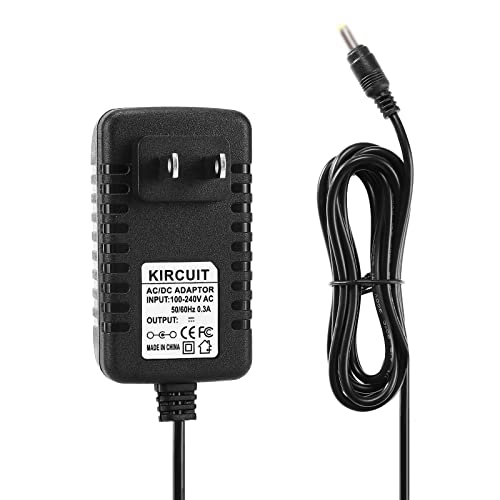
NEW Global 19V AC / DC Adapter Replacement For Eufy RoboVac 11 T2102 11S T2108 High Suction Self-Docking Self-Charging Robotic Vacuum Vac Cleaner 14.8V Li-ion 2600mAh 19VDC Power Supply Cord Cable PS Wall Home Battery Charger Mains PSU
Not Charging At All
If your vacuum isn’t charging, check the following:
- Power Source: Ensure the power outlet works. Plug another device into the same outlet to verify functionality.
- Charging Dock Connection: Confirm the dock is firmly connected to the power adapter. Unplug and reinsert to ensure a solid connection.
- Vacuum Alignment: Make sure the vacuum aligns correctly with the dock pins. Incorrect alignment prevents charging.
- Indicator Lights: Examine the indicator lights on both the vacuum and the dock. If they’re off, this indicates charging isn’t happening.
- Battery Condition: If the vacuum has been unused for a long time, check the battery for any signs of damage or degradation.
Slow Charging Issues
If your vacuum charges slowly, consider these factors:
- Environment: Verify that the docking station is in a room temperature area. Extreme temperatures can affect charging speeds.
- Cord and Adapter Condition: Inspect the power cord and adapter for any visible damage. If they’re frayed or broken, replace them.
- Charging Duration: Keep track of charging time. A full charge usually takes 4 to 6 hours. If it takes significantly longer, further investigation is needed.
- Software Updates: Ensure your vacuum software is up to date. Outdated firmware may affect charging performance.
- Battery Life: Over time, rechargeable batteries can slow down. If your vacuum consistently charges slowly, the battery might need replacement.
Following these troubleshooting steps helps restore your Eufy vacuum’s charging functionality efficiently.
Maintenance Tips For Optimal Performance
To ensure your Eufy vacuum operates at its best, follow these maintenance tips:
Recommended Products

[COMPATIBLE MODELS]: Specifically designed for K2, K3, K3A, K4, K5, and for Lefant M210, M210S, M210B, M213 robot vacuum models. Ensures compatibility before purchasing.
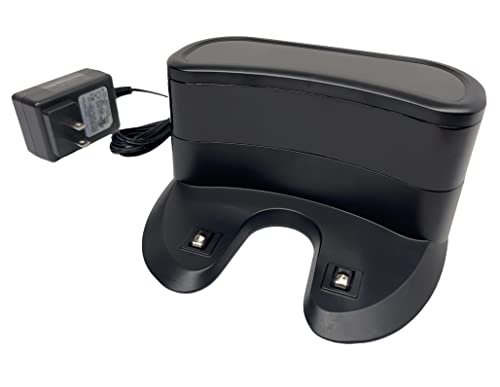
✅ Compatibility: Replacement Charging Dock Base Compatible with Shark ION RV700 RV720 RV750 RV755 RV700N RV720N RV725N RV750N RV725N RV761 RV850 RV850BRN RV850C RV850WV RV851 Robot Vacuum Cleaners

【2-in-1 Mopping and Vacuuming】 The ROPVACNIC Robot S1 integrates advanced electronically controlled mopping technology, significantly enhancing both cleaning efficiency and effectiveness, which makes your floors remain free from footprints, dirt, and dust throughout the day. It features an upgraded high-capacity water tank with a four-stage personalized water adjustment system, enabling it to address various stains across different settings according to user requirements.
Regular Cleaning
- Empty the Dustbin: After every use, empty the dustbin to prevent blockage. A full dustbin can reduce suction power.
- Clean the Filters: Wash the filters every month to maintain airflow. Allow filters to dry completely before reinserting.
- Check the Brushes: Inspect the brushes for hair and debris every week. Remove any tangles to keep brushes spinning freely.
Battery Care
- Charge Regularly: Charge your Eufy vacuum daily to keep the battery healthy. Frequent deep discharges can shorten battery life.
- Avoid Extreme Temperatures: Store and charge your vacuum in a cool, dry location. Avoid exposure to direct sunlight or high humidity.
- Monitor Battery Life: Keep an eye on the battery indicator. Replace the battery if it lasts less than one cleaning cycle.
Dock Maintenance
- Clean the Charging Contacts: Wipe the charging contacts on both the vacuum and the dock monthly. Dust can hinder charging efficiency.
- Check Dock Positioning: Ensure the charging dock is placed in a stable, flat area. A misaligned dock can affect the vacuum’s ability to connect for charging.
- Update Firmware Regularly: Connect your Eufy vacuum to the app to check for firmware updates. These updates can enhance performance and add features.
- Reset if Necessary: If performance issues arise, performing a factory reset may help. Follow the instructions in the user manual to reset your vacuum.
By following these tips, you can maintain your Eufy vacuum’s efficiency and prolong its lifespan, ensuring every clean is a thorough one.
Conclusion
Taking care of your Eufy vacuum is key to keeping it running smoothly. By following the charging tips and maintenance practices outlined, you’ll not only enhance its performance but also extend its lifespan. Regular attention to battery care and cleaning will pay off in the long run.
Remember that a little proactive maintenance goes a long way. So keep your vacuum charged and ready to tackle any mess. With these simple steps, you can enjoy a cleaner home without the hassle. Happy cleaning!
Frequently Asked Questions
How often should I charge my Eufy vacuum?
It’s recommended to charge your Eufy vacuum daily. This ensures that it has enough power for optimal performance and helps extend the battery lifespan.
What are the best practices for maintaining my Eufy vacuum?
Regularly clean the vacuum’s brushes and filters, check for blockages, and keep the docking station free from dust. Following these practices will improve performance and longevity.
How can I troubleshoot common Eufy vacuum issues?
Start by checking the battery level, cleaning any blockages, and ensuring the vacuum is properly docked. If problems persist, consult the user manual for more advanced troubleshooting steps.
What temperature should I avoid when charging my Eufy vacuum?
Avoid extreme temperatures; ideally, charge your vacuum in a room temperature environment, between 50°F and 95°F (10°C to 35°C), to protect the battery’s health.
How do I update the firmware on my Eufy vacuum?
To update the firmware, use the Eufy Home app. Connect your vacuum, go to settings, and check for firmware updates. Follow the prompts to complete the update.
Can I reset my Eufy vacuum, and how?
Yes, you can reset your Eufy vacuum. Press and hold the reset button for a few seconds, usually found on the device. Refer to your specific model’s manual for exact instructions.