
Is your Hoover vacuum struggling to pick up dirt like it used to? You’re not alone. Many people overlook one crucial part of maintaining their vacuum: the filter. A clogged filter can lead to poor performance and even damage your machine over time.
Key Takeaways
- Importance of Regular Maintenance: Keeping your Hoover vacuum filter clean ensures optimal suction power and extends the life of your machine.
- Types of Filters: Familiarize yourself with your vacuum’s filter types—foam filters (washable) and HEPA filters (replaceable) to maintain efficiency.
- Step-by-Step Cleaning Process: Always unplug the vacuum, remove the filter, rinse foam filters under lukewarm water, and ensure HEPA filters are tapped clean and thoroughly dried before reinstalling.
- Signs of Clogged Filters: Watch for reduced suction power, increased dust emission, unusual noises, or overheating, as these indicate a need for filter cleaning.
- Preventive Measures: Clean filters monthly, empty the dirt canister when 2/3 full, and inspect hoses and brush rolls regularly to prevent clogs and maintain airflow.
Understanding Vacuum Filters
Vacuum filters play a crucial role in the performance of your Hoover vacuum cleaner. Keeping them clean translates to better suction and longer machine life.
Importance of Clean Filters
Clean filters enhance suction power and improve indoor air quality. A clogged filter can reduce airflow, leading to less effective cleaning and even damage to your vacuum. Regular filter maintenance ensures the vacuum performs at its best and can prolong its lifespan, reducing the need for costly repairs or replacements.
Types of Filters in Hoover Vacuums
Hoover vacuums commonly feature two types of filters: foam filters and HEPA filters.
- Foam Filters: These filters trap larger particles and dust. They are washable and should be rinsed regularly to maintain performance.
- HEPA Filters: High-Efficiency Particulate Air (HEPA) filters capture smaller allergens and dust particles. These typically require replacement every six to twelve months, depending on usage.
Knowing which filters your vacuum uses helps you care for them properly and maintain optimal performance.
Preparing for Cleaning
Cleaning your Hoover vacuum filter ensures optimal performance and extends the vacuum’s lifespan. Before you start, follow these steps to prepare effectively.
Gathering Necessary Tools
- Gather a soft brush to remove dirt from the filter.
- Select mild soap or detergent for cleaning.
- Use a bowl or bucket to rinse the filter properly.
- Find a clean cloth for drying.
- Keep a pair of scissors handy, in case you need to trim any damaged areas of the filter.
- Unplug the vacuum cleaner to avoid accidents during cleaning.
- Wear gloves to protect your hands from dirt and cleaning agents.
- Work in a well-ventilated area to minimize exposure to dust and allergens.
- Ensure all components are cool before touching to prevent burns.
- Dispose of damaged filters properly, following local guidelines.
Step-by-Step Guide to Cleaning Hoover Filters
Cleaning your Hoover filters maintains suction power and improves air quality in your home. Follow these clear steps to ensure proper filter care.
Recommended Products

LIGHTWEIGHT: Increase maneuverability with less fatigue

LIGHTWEIGHT, POWERFUL VACUUM CLEANER: Lightweight and versatile with the ability to clean anywhere, the Hoover Commercial PortaPower Canister Vacuum makes it easy to keep your space clean.
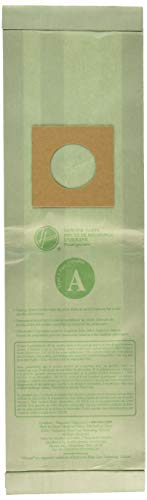
OPTIMAL VACUUM PERFORMANCE: These Type A replacement vacuum bags help maintain strong suction by allowing air to circulate freely, ensuring effective pickup on carpets and hard floors.
Removing the Filter
- Unplug the Vacuum: Always disconnect the vacuum from the power source before starting.
- Locate the Filter Compartment: Check your model’s user manual for the exact position of the filter.
- Take Out the Filter: Press any release buttons or unclasp the filter holder. Gently pull the filter out of its compartment.
Cleaning the Filter
- Rinse Foam Filters: If you have a foam filter, rinse it under lukewarm water. Avoid using soap, as it can leave residues.
- Tap HEPA Filters: For HEPA filters, tap them gently to remove loose debris. Do not rinse HEPA filters under water; check the manual for specific cleaning instructions.
- Dry Thoroughly: Allow both filter types to air dry completely before reinstalling. Place them in a well-ventilated area for at least 24 hours.
- Check for Damage: Inspect the filter for cracks or tears. Replace any damaged filters to maintain performance.
- Secure the Filter: Once dry, place the filter back into its compartment, ensuring it fits snugly.
- Close the Compartment: Reattach any clasps or close the filter compartment securely, ready for use.
Regularly cleaning your filters enhances your Hoover’s efficiency and extends its lifespan.
Common Issues with Vacuum Filters
Clogged filters can hinder the performance of your Hoover vacuum. Recognizing signs of a clog early can help maintain your vacuum’s efficiency.
Recommended Products

Perfect Compatible with Shark Navigator Lift Away Models: NV350_26, NV350A_26, NV350E, NV350Q, NV350T, NV350W, NV350W_N, NV350WC, NV351, NV351C, NV351WM1, NV351WM2, NV352, NV352C, NV352CFS, NV352E, NV352Q, NV354C, NV355, NV355-26, NV355C, NV355CFS, nv356E, NV356K, NV356Q, NV357, NV358, NV358BRN, NV360, NV367, NV360K, NV361BK, NV361PR, NV370, NV370_26, NV380, NV391, NV391C, UV440, UV440CCO, UV440CCOFS, UV490CCO, UV500WM, UV540, UV540CCO, UV541CCO, UV550, ZU503AMZ, CU500/CU512 series, Compare to Part # Xff350 & # Xhf350.

Designed for shark navigator pet plus nv150, nv251, nv255 and zero-m self-cleaning brushroll pet pro zu62, zu62c, zu60 upright vacuums. compare part # 1238ft60 & 1239ft60.

𝗖𝗢𝗠𝗣𝗔𝗧𝗜𝗕𝗟𝗘 𝗠𝗢𝗗𝗘𝗟𝗦 - Compatible with Shark Navigator Lift-Away NV350, NV350_26, NV350A_26, NV350W_N, NV350WC, NV351C, NV351WM1, NV351WM2, NV352, NV352C, NV352CFS, NV352E, NV352Q, NV354C, NV355, NV356, NV357, NV358, NV360, NV361, NV370, NV380, NV391, NV391C, UV440, UV490CCO, UV500WM, CU500, CU510, UV540, UV540CCO, UV541CCO, UV550, ZU503AMZ. Compared to Part # XFF350 & XHF350
Signs of a Clogged Filter
- Reduced Suction Power: Noticeable drop in suction strength indicates a potential clog.
- Increased Dust Emission: Dust escaping from your vacuum while in use signals a filter problem.
- Unusual Noises: Odd noises, like rattling or high-pitched sounds, often originate from airflow obstruction.
- Overheating: If your vacuum overheats, it might be due to airflow restrictions caused by a dirty filter.
- Regular Cleaning: Clean your foam and HEPA filters every month to prevent buildup.
- Empty Dirt Canister: Dispose of debris when it’s 2/3 full to maintain optimal airflow.
- Check for Blockages: Inspect hoses and brush rolls for any tangles or debris that can restrict airflow.
- Store Properly: Keep your vacuum in a dry, clean area to avoid dust accumulation on the filter.
- Use Correct Settings: Adjust your vacuum’s settings based on the surface you’re cleaning to reduce filter strain.
Conclusion
Keeping your Hoover vacuum filter clean is key to enjoying a powerful and efficient cleaning experience. By regularly checking and maintaining both foam and HEPA filters you can prevent common issues and extend the life of your vacuum.
Remember to empty the dirt canister and look for blockages to ensure everything runs smoothly. A little attention goes a long way in maintaining your vacuum’s performance and improving the air quality in your home.
So grab those filters and give them the care they deserve. Your vacuum will thank you for it!
Frequently Asked Questions
How often should I clean my Hoover vacuum filters?
It’s recommended to clean the foam filters every 1-3 months, depending on usage. HEPA filters should be checked and replaced according to the manufacturer’s guidelines, typically every 6-12 months.
What types of filters does a Hoover vacuum use?
Hoover vacuums typically use foam filters for larger particles and HEPA filters for smaller allergens. Both types play a crucial role in maintaining the vacuum’s efficiency.
What are the signs of a clogged vacuum filter?
Common signs include reduced suction power, increased dust emission, unusual noises, or overheating. If you notice these issues, check and clean the filters promptly.
Can I wash my Hoover vacuum filters?
Yes, foam filters are washable. Ensure they are completely dry before reinserting them. HEPA filters usually cannot be washed, so refer to the user manual for instructions.
How do clean filters improve vacuum performance?
Clean filters enhance airflow, maintain suction power, and improve indoor air quality. Regular maintenance prevents clogs and prolongs the vacuum’s overall lifespan.

