
Ever find yourself struggling to get your Dyson vacuum to pick up dirt effectively? You’re not alone. Many people face the challenge of adjusting the vacuum’s height for different surfaces, whether it’s carpet or hardwood floors.
Key Takeaways
- Understanding Your Model: Different Dyson vacuum models have unique methods for adjusting height, either manually or automatically, making it essential to know your specific model.
- Adjustment Mechanisms: Learn to identify and operate the level adjustment mechanism—whether a dial, button, or automatic function—to ensure optimal suction on various surfaces.
- Proper Height Settings: Use appropriate height settings based on the surface type: low for hard floors, medium for low-pile carpets, and high for thick carpets and rugs.
- Maintenance Tips: Regularly clean filters, inspect the brush bar, empty the dustbin, and check for blockages to maintain peak performance and suction power.
- Troubleshooting: Address common issues related to height adjustment and vacuum performance by inspecting mechanisms, monitoring suction, and adjusting based on observed cleaning effectiveness.
- Regular Adjustments: Be prepared to adjust the height setting based on changes in surface types or cleaning frequency to ensure your vacuum operates efficiently at all times.
Understanding Dyson Vacuum Models
Dyson vacuums feature various models, each designed for specific cleaning needs. Understanding these differences helps you choose the appropriate method to adjust the height for optimal performance.
Recommended Products


Common Features Across Models
Dyson vacuums share several key features:
- Cyclone Technology: This technology ensures powerful suction, regardless of the surface.
- Ball Design: Allows for easy maneuverability around furniture and tight spaces.
- HEPA Filters: Captures allergens and improves air quality while cleaning.
- Multiple Attachments: Each model often comes with specific tools for different cleaning tasks, such as pet hair or crevices.
Differences in Level Adjustment
Dyson models vary in how you adjust the height:
- Manual Adjustment: Models like the Dyson DC65 require you to change the height manually. This often involves twisting a dial or pressing a button.
- Automatic Adjustment: The Dyson V11 intelligently adjusts the height based on the surface detected. It optimizes suction power automatically, making cleaning more efficient.
- Pre-set Levels: Some older models, such as the Dyson DC33, feature pre-set height options for carpet and hard floors. You select the setting that matches the surface type.
Understanding these differences equips you to adjust the level on your Dyson vacuum properly and enhances your cleaning experience on various surfaces.
Steps to Adjust the Level
Adjusting the height on your Dyson vacuum ensures optimal cleaning on different surfaces. Follow these steps to make the process easier.
Recommended Products

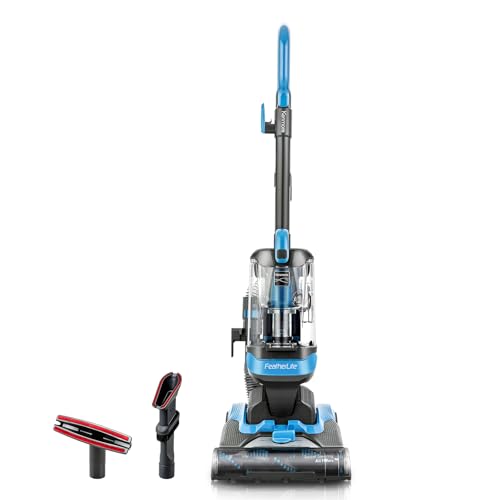
Under 12lbs: Powerful suction in a super lightweight design
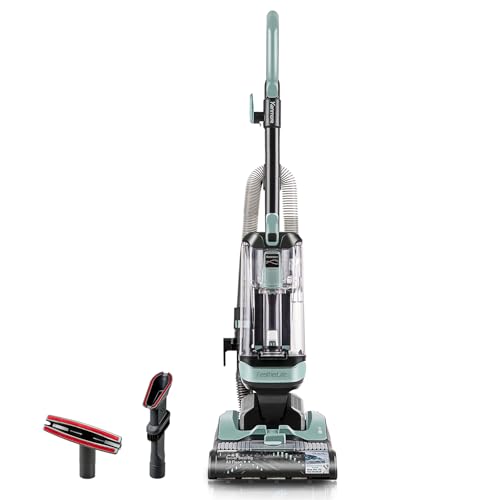
3X More Dust Cup Capacity: Extra-large capacity allows you to cover a greater area with less interruptions, so you can get the job done faster
Locating the Level Adjustment Mechanism
- Identify the model of your Dyson vacuum. This helps find the level adjustment mechanism specific to your vacuum.
- Look for the adjustment dial or button. On models like the DC65, this dial is located on the cleaner head. For V11 models, it works automatically without manual adjustments.
- Refer to the user manual if you’re unsure. The manual contains detailed information on your model’s features and functionality.
- Turn the adjustment dial or press the button to select the desired height.
- Low setting: Use for hard floors to prevent scratching.
- Medium setting: Ideal for low-pile carpets.
- High setting: Works best on thick carpets and rugs.
- Test the vacuum on the new setting. Move it slowly over the surface to check for effective dirt pickup.
- Readjust if necessary. If the vacuum struggles or pulls up the carpet, switch to a lower height setting.
Tips for Maintaining Optimal Performance
Maintaining your Dyson vacuum’s performance is crucial for effective cleaning. Follow these tips to ensure your vacuum operates at its best.
Regular Cleaning and Maintenance
- Clean the Filters: Wash or replace your HEPA filter every 1-3 months. Properly cleaning the filters prevents clogs and maintains suction power. Rinse under cold water until the water runs clear, and allow it to dry completely.
- Inspect the Brush Bar: Regularly check the brush bar for hair, strings, or debris. Clear any obstructions to ensure proper rotation. A clean brush bar enhances the vacuum’s ability to pick up dirt and dust.
- Empty the Dustbin: Empty the dustbin after each use. A full dustbin restricts airflow and reduces suction. Dispose of the contents safely and rinse the dustbin with water when necessary.
- Check for Blockages: Inspect hoses and attachments for clogs. Clear any obstructions to maintain airflow and suction. Ensure all parts are securely attached to avoid leaks.
- Poor Cleaning Performance: Notice a drop in suction or cleaning efficiency? Adjust the height setting. Lower settings work best on hard floors, while higher settings are suitable for carpets.
- Difficulty Moving the Vacuum: If the vacuum feels heavy or hard to push, the height may be set too low. Adjust it upward for smoother maneuverability.
- Excessive Noise: A loud vacuum often indicates a problem. Check the height. If it’s set too low for a carpet, the brush may struggle, causing noise.
- Streaks on Floors: Seeing streaks or unclean areas? This can signal improper height adjustment. Try adjusting the vacuum level to improve contact and cleaning effectiveness.
Troubleshooting Common Issues
Common issues may arise when adjusting the level on a Dyson vacuum. Identifying problems quickly ensures efficient cleaning.
Recommended Products

LIGHTWEIGHT: At under 12lbs., this full-sized upright goes anywhere with ease.850.0 watts.Specific uses:Home Décor

Radial Root Cyclone technology

Patented Radial Root Cyclone technology for no loss of suction DC41 Animal captures allergens and expels cleaner air Dyson cyclones can capture particles down to 05 microns - including pollen, mold and bacteria
Difficulty in Height Adjustment
If you experience difficulty adjusting the height, follow these steps:
- Check the Mechanism: Ensure the height adjustment mechanism is fully functional. Some models may have stiff levers or buttons due to dust buildup or lack of lubrication.
- Inspect for Obstructions: Look for any debris obstructing the mechanism. Clear any dirt or hair that could prevent movement.
- Test Different Settings: Cycle through all height settings. If a setting doesn’t engage properly, this may indicate a mechanical issue.
- Consult the Manual: Refer to the user manual specific to your Dyson model for additional troubleshooting tips.
Vacuum Performance Problems Related to Level Settings
Level settings directly affect vacuum performance. Here’s how to address performance issues related to height adjustments:
- Check Suction Power: If suction appears weak, adjust to a lower setting for carpeted surfaces. Higher settings may cause inadequate suction on softer materials.
- Monitor for Streaks: If you see streaks or unclean areas, reassess the height setting. An improper height can prevent the vacuum from making full contact with the floor.
- Listen for Unusual Noises: If the vacuum makes excessive noise, it could indicate it’s set too low. This can lead to motor strain and decrease cleaning efficiency.
- Review Cleaning Frequency: Consider how often you clean your surfaces. Frequently cleaned areas may require different settings than those that haven’t been vacuumed in a while.
Following these tips helps maintain optimal performance and reinforces effective cleaning throughout your home.
Conclusion
Adjusting the level on your Dyson vacuum can make a world of difference in your cleaning routine. By ensuring it’s set correctly for various surfaces you’ll not only improve suction but also protect your floors. Regular maintenance and monitoring can help you avoid performance issues down the line.
So the next time you grab your vacuum, take a moment to check those settings. You’ll enjoy a cleaner home and a more efficient cleaning experience. Happy vacuuming!
Frequently Asked Questions
How do I adjust my Dyson vacuum for different surfaces?
To adjust your Dyson vacuum for various surfaces, utilize the height adjustment feature, which can be found in models like the DC65 and V11. Make sure to set the vacuum to the appropriate level for carpets or hard floors to optimize cleaning performance.
What is Cyclone Technology in Dyson vacuums?
Cyclone Technology refers to the innovative design in Dyson vacuums that uses centrifugal force to separate dirt and dust from the air. This design enhances suction power and ensures efficient dust collection without clogging filters.
How can I troubleshoot height adjustment issues?
If you encounter height adjustment issues, start by checking the adjustment mechanism for damage or wear. Clear any obstructions and ensure the settings are correct. If problems persist, refer to the user manual or contact customer support for further assistance.
Why is my Dyson vacuum losing suction due to height adjustments?
Loss of suction from height adjustments may be caused by improper setting for the surface being cleaned. Ensure the vacuum is set to the correct height for carpets or hard floors. Additionally, check for blockages in the hose and clean the filter regularly.
What tips can improve vacuum performance based on height settings?
To enhance vacuum performance, adjust the height settings according to the type of surface you’re cleaning, and monitor your cleaning frequency. Regularly empty the dust bin and clean the filter to maintain strong suction and optimal performance.

