
Is your Dyson V7 vacuum losing its suction power? A worn-out battery might be the culprit. If you’ve noticed it doesn’t hold a charge like it used to, you’re not alone. Many users face this issue, but the good news is that changing the battery is a straightforward task you can tackle yourself.
Key Takeaways
- Battery Replacement: Changing the battery on a Dyson V7 vacuum is a simple process that can restore its suction power and efficiency.
- Tools Needed: Gather essential tools such as a Phillips screwdriver, flathead screwdriver, a compatible lithium-ion replacement battery, and a soft cloth before starting the replacement.
- Battery Maintenance: Regular charging, avoiding complete discharge, and cleaning battery contacts are crucial for maintaining battery life and performance.
- Installation Tips: Ensure proper alignment of connectors when installing the new battery and avoid over-tightening screws to prevent damage.
- Performance Monitoring: After the replacement, test the vacuum to confirm strong suction and keep an eye on its performance over time.
- Proper Disposal: Follow local guidelines for disposing of old batteries responsibly to protect the environment.
Overview of Dyson V7 Vacuum
The Dyson V7 vacuum is designed for efficiency and convenience. It offers powerful suction and versatility for various cleaning tasks. Weighing about 5.45 pounds, it’s lightweight and easy to maneuver. The cordless feature gives freedom without being limited by a power outlet.
The battery life varies based on usage. In normal mode, it provides up to 30 minutes of fade-free power. In max mode, suction lasts for about 6 minutes. The vacuum features a hygienic point-and-shoot bin emptying mechanism that ensures dust and debris are released without touching the mess.
Equipped with a 2-tier radial cyclone system, it captures microscopic dust particles effectively. The motorized brush bar is ideal for removing pet hair and ground-in dirt from carpets. The vacuum is suitable for multiple surfaces, including carpets, hard floors, and upholstery.
For ease of use, the V7 model has multiple attachments. These include a crevice tool for tight spaces, a mini motorized tool for pet hair, and a combination tool for different surfaces. Each enhances the vacuum’s functionality, making it a comprehensive cleaning solution.
Battery Specifications
The Dyson V7 vacuum operates on a lithium-ion battery, known for its high energy density and long lifespan. This type of battery provides efficient power management and quick recharging times, essential for maintaining the vacuum’s performance.
Recommended Products
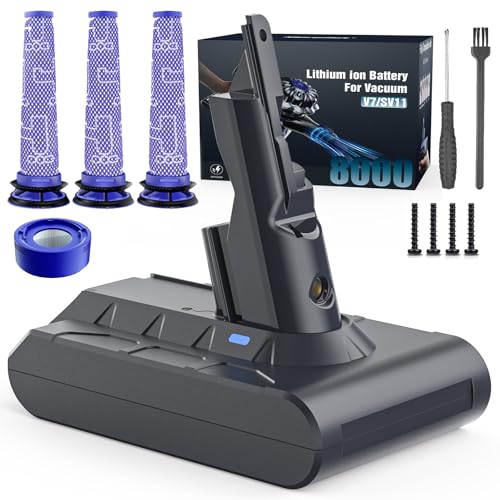
Perfectly Compatible with Dyson V7 Series: Our battery works flawlessly with V7 Absolute, V7 Fluffy, V7 Animal, V7 Animal Pro+, V7 Motorhead, V7 Motorhead Pro, V7 Mattress, V7 Trigger, V7 Trigger with HEPA, V7 Auto+Boat, V7 Extra, V7 HEPA, SV11 Series Vacuum Cleaners, and more.

【Battery Specifications】Battery Type: Lithium-ion | Battery Voltage : 21.6V | Battery Capacity: 7000mAh. Made with high quality cells(REPLACEMENT BATTERY)

[High Capacity Battery] Voltage: 21.6V | Battery Type: Lithium-ion. Powered by a premium high-density battery cell, this Dyson V7 replacement battery delivers consistent, long-lasting power output that easily handles full-house deep cleaning without frequent recharging. No more mid-clean battery drains or interrupted chores – it keeps your handheld vacuum running strong from start to finish. Each battery has passed strict 3000+ cycle durability tests, proving exceptional cycle life and stable daily performance, far outlasting standard generic batteries for reliable long-term cleaning power you can count on.
Understanding Battery Type
You’ll find that the lithium-ion battery in the Dyson V7 offers several advantages over other types. It charges quickly, usually in about 3.5 hours, and retains its charge better when stored. Compared to nickel-cadmium batteries, lithium-ion options are lighter and have a longer cycle life, meaning you can vacuum more often without replacing the battery as frequently. When purchasing a replacement, ensure you select a genuine Dyson battery to guarantee compatibility and performance.
Importance of Battery Maintenance
Proper battery maintenance extends its life and ensures optimal performance. Here are some useful tips for maintaining your Dyson V7 battery:
- Regular Charging: Charge the battery after each use to keep it ready for the next cleaning session.
- Avoid Complete Discharge: Don’t let the battery run down to zero. Recharge it when it gets low, ideally before the vacuum shows a significant drop in power.
- Storage Conditions: Store the vacuum and battery in a cool, dry place. Extreme temperatures can degrade battery performance.
- Cleaning Contacts: Periodically check and clean the battery contacts to prevent corrosion and maintain a strong connection.
By following these tips, you can keep your Dyson V7 battery running efficiently for years.
Tools Required for Changing the Battery
Changing the battery on your Dyson V7 vacuum requires a few basic tools. You can make the process smooth and efficient with the right equipment. Here’s a list of necessary tools:
- Phillips screwdriver: You’ll need a standard Phillips screwdriver to remove the screws securing the battery compartment.
- Flathead screwdriver: This comes in handy for prying open any tight sections without damaging the casing.
- Replacement battery: Ensure you have a compatible lithium-ion replacement battery designed for the Dyson V7 model.
- Soft cloth: Use a soft cloth for cleaning battery contacts and surrounding areas, keeping everything free from dust.
Gather these tools before starting. Being prepared saves time and frustration during the battery replacement process.
Step-by-Step Guide on How to Change Battery on Dyson V7 Vacuum
Changing the battery on your Dyson V7 vacuum keeps it running efficiently. Follow these steps for a smooth battery replacement process.
Recommended Products
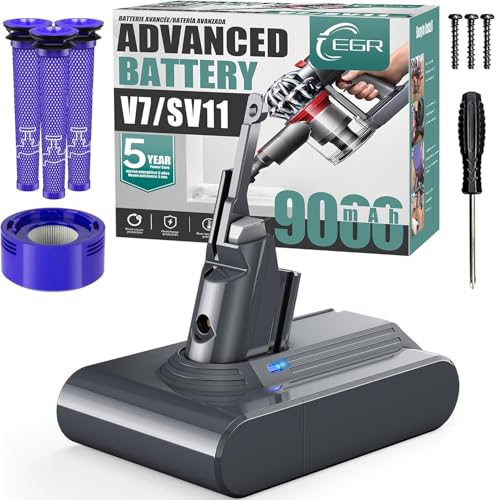
【Long Battery Life of V7 Rechargeable Battery】9000mAh rechargeable V7 animal battery replacement is designed to provide more power. V7 battery replacement provides more than 35 minutes in the normal mode, 9 minutes in high-performance mode, longer runtime than OEM batteries.(Note: Please cool down the battery before charging)

Engineered to Last: The V7 battery has undergone 2,000+ hours of rigorous testing to ensure extended life, enhancing your daily life at home.
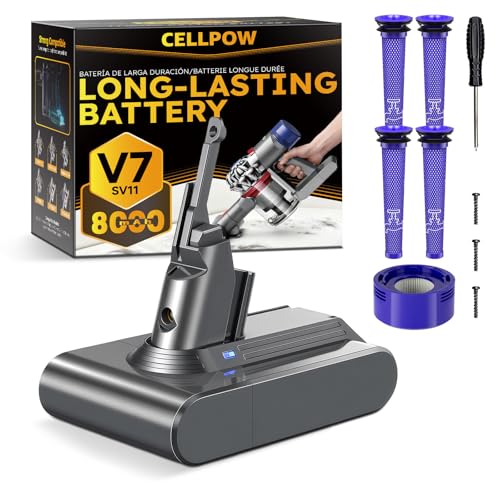
【Upgraded 8000mAh V7 Battery Replacement - Experience Extended Runtime & Powerful Suction】This upgraded V7 battery replacement features a high-capacity 8000mAh Li-ion pack and 21.6V voltage, which designed to provide extended runtime, helping to reduce interruptions during cleaning tasks. This V7 battery replacement is the ideal upgraded solution for those seeking enduring power and superior performance.
Step 1: Preparing the Vacuum
- Turn off the vacuum. Ensure it’s not plugged in.
- Gather your tools. You need a Phillips screwdriver, flathead screwdriver, and a replacement battery.
- Find a clean, well-lit workspace. This setup helps you see small components clearly.
Step 2: Removing the Old Battery
- Locate the battery compartment. It’s positioned at the back of the vacuum.
- Use the Phillips screwdriver to remove the screws securing the battery. Place the screws in a safe spot to avoid losing them.
- Gently pull the battery away from the main body. If it’s stuck, wiggle it slightly until it separates.
Step 3: Installing the New Battery
- Align the new battery with the compartment. Ensure the connectors match properly.
- Press the battery into place. It should fit snugly without forcing it.
- Secure the battery by replacing the screws. Tighten them just enough to hold the battery in place, but don’t overtighten.
- Turn on the vacuum. Listen for any unusual sounds indicating improper installation.
- Test it on a small section of your floor. Ensure it runs smoothly and maintains strong suction.
- If there are issues, check the connections and screws again. Adjust as needed until everything works properly.
Tips for a Successful Battery Replacement
- Gather Your Tools: Ensure you have a Phillips screwdriver, flathead screwdriver, and the replacement battery ready before you start. A clean workspace prevents losing small parts.
- Check Compatibility: Confirm that your replacement battery matches the Dyson V7 specifications. Using an incompatible battery could affect performance.
- Prepare the Vacuum: Before starting, unplug the vacuum. Make sure it is turned off and not connected to the charger.
- Follow the Steps Carefully: Stick to the step-by-step guide provided earlier. Rushing can lead to mistakes, so take your time with each step.
- Align Connectors Properly: Ensure the connectors on the new battery fit snugly. Misalignment can result in poor connection and affect suction.
- Secure with Screw: Tighten the screws firmly, but avoid over-tightening. This can damage the battery or vacuum casing.
- Test the Vacuum: After replacing the battery, turn on the vacuum to check for proper operation. Look for strong suction and listen for any unusual sounds.
- Keep Spare Batteries: Consider having an extra battery on hand. This ensures you can resume cleaning quickly without waiting for a replacement.
- Monitor Performance: After a few uses, observe the vacuum’s performance. Notice any changes in suction to address potential issues early.
- Dispose of Old Battery Properly: Follow local guidelines for battery disposal. Recycling keeps harmful materials from the environment.
Conclusion
Changing the battery on your Dyson V7 vacuum doesn’t have to be a daunting task. With the right tools and a bit of patience you can keep your vacuum running at its best. Remember to check compatibility and follow each step carefully to ensure everything goes smoothly.
Once you’ve replaced the battery give your vacuum a test run to feel that powerful suction again. Keeping a spare battery on hand can also save you time in the future. And don’t forget to dispose of the old battery responsibly. Happy cleaning!
Frequently Asked Questions
What are the key features of the Dyson V7 vacuum?
The Dyson V7 vacuum boasts a sleek design, powerful suction, lightweight construction, and cordless operation. It offers impressive battery life and comes with multiple attachments for versatile cleaning across different surfaces.
How do I know when to replace the battery of my Dyson V7?
You should consider replacing the battery when you notice a significant decrease in suction power or if the vacuum runs out of battery quicker than usual. Regular checks can help maintain optimal performance.
What tools do I need for replacing the Dyson V7 battery?
To replace the Dyson V7 battery, you typically need a screwdriver (usually a Phillips head) and a replacement battery that’s compatible with your model. Having these tools ready will streamline the process.
How do I ensure my new battery is compatible?
Check the product specifications or model number before purchasing a replacement battery. It’s vital to buy batteries specifically designed for the Dyson V7 to ensure proper fit and function.
What steps should I follow for safe battery replacement?
First, prepare the vacuum by turning it off and removing it from the charging dock. Use a screwdriver to open the battery compartment, replace the old battery with the new one, secure it in place, and close the compartment.
How can I test the vacuum after replacing the battery?
Once you’ve replaced the battery, simply power on the Dyson V7 to ensure it runs smoothly. Check for normal suction and operation. If there are issues, double-check the connectors and battery installation.
Should I keep spare batteries for my Dyson V7?
Yes, keeping a spare battery helps maintain your cleaning routine without interruptions. It ensures you have backup power available whenever the main battery runs low or needs replacement.
How should I dispose of the old Dyson V7 battery?
Dispose of the old battery according to local guidelines for electronic waste. Many communities have recycling programs specifically for batteries to prevent environmental harm, so check for drop-off locations.
